
You’ll never buy another mouse after the Logitech G500
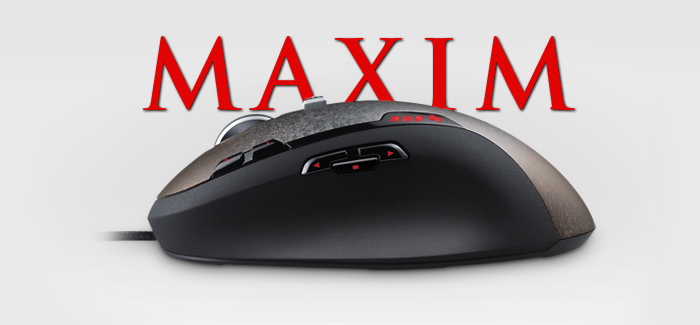
There are plenty of naysayers of dedicated gaming peripherals – we’ll call them anti-performers– who decry $80 mice as a waste of money that doesn’t enhance ability. Yes, it’s true that a great mouse can’t make a terrible player better. If you don’t know whom to shoot and when, the how doesn’t really matter. But the right mouse can ensure a good player performs reliably by interpreting his/her commands into accurate shots, selections, and gestures.
But in the crowded market of neon-lit, fission-fueled “gaming mice,” how do you know which one is worth your dinero?
Easy: I’m going to fucking tell you. It’s the Logitech G500.
The G500 has a lot of features, and while they’re all swell, the most important thing you need to understand is that Logitech is a company that gives more than half a shit about your peripheral-buying experience. You can trawl the web for hundreds of examples, but my own anecdotes convinced me rather quickly that Logitech deserved my money.
My previous gaming mouse, the Logitech G5, wasn’t perfect, but it lasted me nearly 5 years of constant, abusive gameplay. Not a bad record to start with. Anyway, it was certainly still functioning, but all the color was starting to fade. I had heard stories that Logitech routinely gives out discounts for no reason, so I wrote their customer service asking if they’d give me a coupon to upgrade to the G500. In less than 24 hours they sent me a code for 50% off and free shipping. It was now just $41.
Pretty nice, huh? But it doesn’t end there. When I actually got the G500, I noticed the left mouse button produced a tiny, nearly inaudible squeak. I wrote in to Logitech again, and they offered to send me a replacement G500 for the cost of shipping and handling. No, I wouldn’t have to send the original back!
Ultimately, I decided I had used up enough goodwill, and I kept my current G500. The squeaking went away in a few days, leaving only the unbridled joy of an exquisitely designed input device.
But enough fawning over corporate good will, let’s get to what this thing actually does.
The fancy stuff first: Complete customization
Right from the get-go, there are a few features that set the G500 apart from its contemporaries, but the most important one is dual-mode hyperscrolling.
With the click of a button, the mousewheel can toggle between two scrolling modes. The first is the standard, notched scrolling you probably have on your shitty Dell default mouse. The second is the greatest thing ever created, ever.
Hyperscrolling essentially puts your mousewheel on a ball bearing, allowing it to spin at any speed for any duration. A single flick of the wheel can quickly bring you to the bottom of a long web page, a boring Word document, or a long list of menu items. And unlike keyboard commands like End and Page Down, hyperscrolling is a nuanced, analog control. You’re able to spin your way around the web just as naturally as you spin discs during your weeknight shifts as America’s hottest dance party DJ.
It may sound like a lame add-on for pencil-pushers, but hyperscrolling is great for gaming. Actions bound to mousewheel_down or mousewheel_up can be executed hundreds of times a second. List-based inventories literally fly by. And everyone in 2Fort will be mighty impressed with how quickly you can toggle your weapons while wasting your Medic’s Ubercharge.
The G500 has a few other tricks up its sleeve when it comes to giving you more control. First, its on-the-fly sensitivity adjustment means you’ll always have the right accuracy at the right time. Whether you’re sniping in Battlefield 3 or Photoshopping Grandma out of your wedding photos, being able to drop mouse sensitivity at an instant means pixel-perfect precision. When the action heats up again, or you’re using a broad-stroke tool to finalize your abuela’s digital disappearance, just kick it back up a few notches. You can also use this mouse feature to appease multiple family members with different mouse settings preferences.
Well, grandma might not be keen in partaking, what with you being a giant asshole and all. Don’t worry; it’s cool. If you don’t want to use the sensitivity feature, you can assign its buttons to any other input, keystroke, or macro.
Speaking of personal taste, the Logitech G500 carries over the custom weight system from its G5 predecessor. Yes, that’s right: you can decide how much your fucking gaming mouse weighs. Some people like lightweight mice, but true connoisseurs prefer the mature, well-bodied feel of a more meaty, sensual mouse. With a careful touch you can gently slide in up to 27 grams of heft into her its receptive undercarriage.
Everything else: Aiming at things and making them die
Frills are great, but what about the basics? The Logitech G500 excels where it really counts: telling your computer what the hell you want to do. With ten buttons (including the remappable hyperscroll and sensitivity inputs), you won’t find yourself wanting in ways to control games and other software. The G500 improved greatly over the G5 in this arena, since the latter suffered unusable mousetilt functionality, only a single side thumb button, and poorly placed sensitivity adjusters. All G500 buttons provide great tactile feedback, and aside from the temporary squeak I encountered, I have no complaints.
The mouse’s “gaming-grade” laser has been moved to the front of the mouse, another improvement over the G5. This allows the user to choose between broad, quick movements (by moving the whole mouse), or minute, accurate changes (by rotating the front end of the mouse). Many gamers were baffled using the G5’s center-aligned laser, since turning the mouse had no perceptible effect on cursor position. Unless you consider random stuttering a desirable effect.
As for the quality of the laser, I’m not really an expert. The mouse is extremely precise and sensitive to even the tiniest movements. I’ve noticed that the mouse cursor regularly moves a pixel when someone else in the house so much as steps within eight feet of my desk. This isn’t an issue during gameplay, but an example of just how small a motion the G500 can pick up. This can, of course, be adjusted via sensitivity controls, software tweaks, and weight addition.
Further research into the quality of its laser, however, is impossible, since my attempts to stare directly into it have left me legally blind in my right eye. I guess that means it works.
From what I can still see, the overall build of the G500 is superb. Gone is the overly steep arch of the G5, replaced with a more natural, ergonomic slope. The plastic is grippier on the side, making for easier “claw” style gameplay and a nice visual contrast. The faux-camoflage pattern on the top is a nice change of pace from the typical, and the braided, cloth cord common in Logitech’s upper tier wired mice is as fashionable as it is practical – no tangled wires here.
Underneath, the mouse is plain but elegant, with low-friction feet and an intuitive ejection port for the custom weight system. Near the front of the mouse, the laser port is prominent, with a strong warning not to look directly into the aperGODDDAMN IT ARE YOU FUCKING KIDDING ME? AGAIN? CAN SOMEONE ORDER ME A BRAILLE KEYBOARD? FLURRRGRBBB







Fun fact: The apple magic mouse is the greatest device for scrolling ever created.
Funny, the people at my work hate it with a passion, I guess due to it switching programs too easily and its terrible battery life.
That said, it’s not as FUN as hyperscrolling. It just isn’t!!!
Really? I’ve never had either of those issues since I got my mac at work. I hate the infernal machine with every fiber of my being, but I love the mouse.
You convinced me. I’ll get one the minute my old one starts to fail. Also the only downside is that it is not wireless. :( I guess that would slow down the speed needed for pro gaming.
My first request at a mouse is always: Am I able to use it lefthanded? If yes, further research on stats and stuff is appropriate, if no, byebye…
At the moment I’m using a SteelSeries Xai for gaming and I’m happy with it. It is a very simple yet accurate mouse, usable with both hands and from reading your article, the only thing that could eventually be improved is the positioning of the laser.
@JustLikeFM: I call BS on that… A cable doesn’t slow me down in the slightest… If you secure your cable in a way that you don’t have to pull it from under your desk when you go back with it then there is absolutely no problem with a cable. Actually it has its benefits. I can play for hours and hours and I never have to worry about my battery is going down =)
He meant the latency inherent with a wireless device.
Yes, you can use it left handed. You can even re-map the normal ‘click’ buttons so that your index finger is ‘Left’ and your middle is ‘Right’ if that makes sense.
You actually can’t use it left handed. Not by default. You need to buy the left handed version. It is very ergonomically molded, so using a right handed mouse left handed wouldn’t work.
It´s looks very nice and useful and I <3 Logitech forever! i wanna see how you use it with ACR! Thanks for the post!
Running a Razer Mamba here, and I must say that once you go Gaming-Grade, you never go back unless it’s for work.
This G500 though, it’s a great and solid mouse. If not for the wireless need, I would gladly swap to that one as it seems like the Razer drivers hate WinXP with the passion of 30 dying suns, as the configuration software ware (since their last update) forces my CPU to drop whatever it’s doing to marvel at it’s buggy code.
If you need wireless, you could try the G7 or G9. Not that I have. Do you like the Mamba?
Dodo, I believe they meant the wireless part might slow down the apparently amazing reaction time this thing has to your inputs.
My mouse wheel is a little TOO sensitive, as I end up switching weapons too much in TF2 to point I have to use the numbered buttons instead. But at least it has a fourth button to switch back to my knife.
I got this mouse for Christmas and I love it. I HATE wireless mice so to have such an awesome corded mouse…. sploosh.
I had to change the DPI a little so it was closer to my old mouse but it only took a couple of seconds to do and then things were just how I like it. Also, with the DPI controls so accessible, my Sniping in TF2 has really improved. Move around with normal sensitivity, zoom in, drop to one lower sensitivity, kill folk, unscope, increase sensitivity, drop mic, close trade window.
Seriously, try out this mouse.
I’ll get one when this fails, but this is a Logitech too. And it’s taken beatings harder than Thor’s whores and is still around, so when that is, I have no clue.
Don’t forget to e-mail them and say you love Logitech. They’ll send you a coupon.
Sounds pretty awesome. Will consider it when this one dies.
Although that’s an 8 year old wireless Logitech so…good luck with that.
Indestructibility? Yeah, they have that.
Update: It IS dying. Occasionally, it jams up or doesn’t respond at all. Narf. Good thing it’s just the right occasion to buy such a nice treat. Easiest decision ever.
Excellent review! I’ve been searching for a good gaming mouse for a long time and this sounds right up my alley, since it’s so cheap with the discount,
I’ve been using a silly wireless microsoft mouse that was released back in the 90s and only has a sensitivity range of 1-4. But I think I’m going to have to hold back on purchasing the G5000 until I upgrade my computer. What’s the point of an epic mouse if I’m still only getting 12 FPS in TF2?
Just FYI the hyper scrolling is great for Web surfing and Microsoft office. The sensitivity changes are good for Adobe Creative Suite!
Have logitech fixed the drivers yet for the bf3 compatibility issues they had for button binding etc? Wont buy till I know!!
Not sure but I never personally had a problem with the G500 in BF3.
I still have my original BF2142 G5 and love it… but if it ever dies ill give this a shot XD
[…] If you told the average consumer you spent $80 on a gaming mouse, they might laugh at you. Hell, they’d probably laugh at you for spending $40 on one. […]
Generally speaking, the G500 is not the greatest mouse. The sensor has problems with acceleration and my own personal experience with laser mice also shows that performance can differ greatly depending on the surface; I’m a big fan of the oversized cloth mats ala QcK Heavy but it can also cause jittering problems with some mice, in addition to very low malfunction&skipping speeds so it’s really not great for low sens players.
If you’re a fan of the MX518 shape then the G400 is probably your best bet, as it has most of the perks of the G500 (including little/no prediction) while still having an optical sensor that doesn’t share the problems of the G500. In most games I use a pretty low sens (45cm/360, maybe lower like 50-55 for games like CoD/BF) and it works well for me.
I can also heartily recommend the WMO1.1a, IME3.0, DeathAdder and MX518. I hear the Abyssus and Zowie FK are pretty good as well although they came out after I stopped changing mice all the time :p
I’d really like to get used to lighter/smaller mice because the G400 is a damn brick sometimes and I definitely have more freedom to look around more and aim more finely with a smaller mouse, but they’re nowhere as natural to my hand as the G400 is, and my aim suffers in consistency (even though it feels nicer at other times).
I just couldn’t keep myself from posting here when I saw how incredibly misleading this review is. If you’re a gamer; Don’t buy this mouse. Period.
Why? The scroll wheel is almost impossible to click down without triggering the scroll left/right functions. This will get you killed in a game, when you need something to happen fast when clicking the middle button. The side buttons are useless, because they are too hard to distinguish from each other. The smooth scroll wheel is not the greatest thing ever. It’s actually one of the most annoying things I have ever experienced on a mouse. And then there’s the sluggyness. That’s the worst. For some reason, it feels like mouse-smooting or mouse acceleration is always on, so that the cursor glides around instead of being precise. It is horrible. When you aim for something, you want to be in control. Now it feels like the cursor moves past where you were originally aiming.
I’d actually prefer an old IBM mouse from 1997 (the type that uses a ball instead of optic), instead of this. And that says something.